PicsApp Photo Editor & Collage

50M+
Installs
Lyrebird Studio
Developer
-
Video Players & Editors
Category
-
Rated for 3+
Content Rating
-
https://lyrebirdstudio.net/privacy_policy.htm
Privacy Policy
Screenshots


editor reviews
In the bustling digital bazaar of photo editing applications, where giants like Adobe and VSCO cast long shadows, PicsApp Photo Editor & Collage emerges as a refreshingly accessible and surprisingly powerful contender. Developed by Lyrebird Studio, this app carves its niche not by overwhelming users with professional-grade complexity, but by offering a streamlined, intuitive, and delightfully comprehensive toolkit for everyday creativity. It feels like the Swiss Army knife of mobile photo enhancement—compact, user-friendly, and packed with just about every tool you could wish for to transform casual snapshots into share-worthy masterpieces. From the moment you launch the app, its clean interface and logical workflow invite you to play, experiment, and create without a steep learning curve, making it an ideal companion for social media enthusiasts, hobbyist photographers, and anyone looking to add a polished touch to their visual memories.
The development journey of PicsApp reflects a keen understanding of the mobile user's core needs. Lyrebird Studio has consistently focused on bundling a vast array of features—filters, effects, collage makers, drawing tools, and beauty adjustments—into a single, cohesive package. This all-in-one philosophy is its greatest strength. Why juggle five different apps for filtering, retouching, adding text, and creating collages when PicsApp handles it all seamlessly? My usage experience has been overwhelmingly positive; edits are processed quickly, the previews are responsive, and the sheer variety of artistic options, from trendy aesthetic filters to precise curve adjustments, ensures there's always a new way to express your vision. The collage maker, in particular, stands out for its flexibility and stylish templates, turning the often-clunky process of grid-making into a simple and fun activity.
Choosing PicsApp over similar software boils down to its exceptional balance of depth and simplicity. While other apps might excel in one specific area, like ultra-realistic film simulations or advanced layer-based editing, PicsApp offers remarkable breadth without sacrificing usability. It provides enough control for those who want to fine-tune details but remains straightforward enough for complete beginners to achieve great results instantly. Its free tier is generously featured, and the optional premium subscription unlocks even more assets without resorting to aggressive paywalls for basic functions. For a one-stop solution that empowers you to edit, enhance, design, and collage without ever leaving the app, PicsApp is a top-tier choice. Ready to unlock your phone's creative potential? Head to your app store and download PicsApp Photo Editor & Collage today—your photo gallery will thank you! 📲✨🎨🖼️🌟🔥💡🚀👍🎉
features
- 🎛️ All-in-One Editing Suite: PicsApp consolidates every tool you need. It's not just a filter app or just a collage maker; it's a complete studio featuring crop, rotate, adjust (brightness, contrast, saturation), curves, color balance, and selective editing tools all in one place.
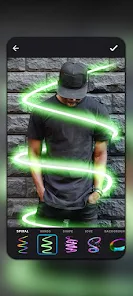
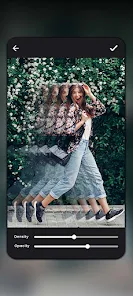
- 🌈 Vast Filter & Effect Library: Dive into a treasure trove of visual styles. The app boasts hundreds of meticulously crafted filters, ranging from vintage film looks and dramatic black-and-white tones to vibrant modern aesthetics and subtle light leaks, alongside fun effects like glitch, blur, and pixelation.
- 🖼️ Intelligent Collage Maker: This feature goes beyond basic grids. Choose from numerous stylish templates, freely adjust borders, backgrounds, and corner rounding, and apply filters to the entire collage or individual photos with a single tap for a cohesive look.
- ✏️ Advanced Drawing & Text Tools: Unleash your inner designer. Add personality with a full suite of drawing brushes, customizable fonts, text styles with shadows and outlines, and a library of stickers, clipart, and overlays to decorate your images.
- 👤 Portrait Perfection Tools: Specifically tailored for selfies and portraits, this suite includes reliable blemish removal, skin smoothing, teeth whitening, eye brightening, and even reshape tools for subtle adjustments, all designed to look natural.
- ✂️ Precise Cutout & Background Eraser: Easily isolate subjects or remove unwanted backgrounds. The auto and manual cut-out tools are surprisingly effective for a mobile app, allowing you to create transparent PNGs or swap in new backgrounds effortlessly.
- 📐 Pro-Level Adjustments: For users wanting more control, PicsApp hides powerful features like RGB channel curves, hue/saturation/luminance for individual colors, vignette adding, grain, and sharpening tools, offering depth rivaling some desktop software.
- 🔀 Non-Destructive Editing Workflow: Experiment fearlessly. The app supports layer-like editing where you can add, reorder, and adjust elements like text, stickers, and drawings independently, and most adjustments can be tweaked or undone at any point in the process.
- 🚀 One-Tap Enhance & AI Suggestions: Perfect for quick fixes. The 'Enhance' button intelligently analyzes your photo and applies optimal corrections for exposure and color. The app also suggests suitable filters and edits based on your image content.
- 📤 High-Resolution Export: Your creations aren't compromised. PicsApp allows you to save and export your edited photos and collages in high resolution, ensuring they look crisp on social media feeds and even in print.
pros
- ✅ Incredibly User-Friendly Interface: Navigating the app is a breeze. The layout is clean, tools are well-organized into intuitive tabs, and the editing process feels fluid and logical, making professional-looking edits achievable for anyone.
- ✅ Exceptional Feature Breadth for Free: The amount of functionality available without payment is impressive. Most core editing tools, a large filter pack, and the collage maker are completely free, providing tremendous value upfront.
- ✅ Fast and Responsive Performance: Edits apply instantly, and the app runs smoothly even when applying multiple complex effects or working with high-resolution images from modern smartphone cameras, with no frustrating lag.
- ✅ Regular Content Updates: Lyrebird Studio frequently adds new filters, collage templates, stickers, and fonts, keeping the creative library fresh and aligned with current visual trends without requiring a full app update.
- ✅ No Watermarks on Free Exports: A major plus! Unlike many competitors, PicsApp does not stamp your freely exported creations with a distracting logo or watermark, allowing for clean, professional sharing.
cons
- ⚠️ Premium Features Can Feel Scattered: While the free version is generous, access to the full asset library (certain filters, stickers, fonts) requires a subscription. The prompts to upgrade, though not overly intrusive, are present throughout the app.
- ⚠️ Occasional Ad Interruptions in Free Version: The trade-off for a rich free tier is the presence of video or banner ads, which can occasionally pop up between edits or when accessing certain features, potentially disrupting the creative flow.
- ⚠️ Advanced Tools Lack Some Depth: While it offers pro adjustments, seasoned editors might find the layer system not as fully featured as dedicated apps, and tools like the curves editor, while good, have a slightly less precise control feel than on desktop platforms.
Recommended Apps
![]()
Emoji Home: Make Messages Fun
Emoji Home4.5

![]()
Planner 5D: Home Design, Decor
Planner 5D3.8![]()
Live Wallpaper- 4k Backgrounds
DEHA4.6![]()
Love Horoscopes
Horoscope TV4.2![]()
Fake video call - Prank call
HiddenScreen.NET0![]()
Fake call - prank
GameAndro4.5![]()
Wednesday Addams Prank Call
Prank Calling4![]()
Grindr - Gay Dating & Chat
Grindr LLC4.1![]()
GhostTube SLS Camera Alternate
GhostTube4![]()
Photo Blender: Picture Mixer
VysionApps4.1![]()
Make Me Bald Prank
AppTornado2.5![]()
GPS Navigation Maps Directions
SaaAneeDroid4.2![]()
Daily Horoscope
Horoscope by Comitic4.8![]()
Face Swap Gender Swap&Changer
Energy apps2.8![]()
The Pattern Astrology
Pattern Home, Inc.3.9










Hot Apps
-
![]()
Chai: Chat AI Platform
Chai Research Corp.4.4 -
![]()
Geeni
Merkury Innovations4.6 -
![]()
Snapchat
Snap Inc4.1 -
![]()
Netflix
Netflix, Inc.3.9 -
![]()
Sora by OpenAI
OpenAI4.7 -
![]()
Amazon Alexa
Amazon Mobile LLC4.5 -
![]()
Venmo
PayPal, Inc.4.2 -
![]()
ParkMobile: Park. Pay. Go.
Parkmobile, LLC4.7 -
![]()
Afterpay - Buy Now Pay Later
Afterpay3.8 -
![]()
letgo: Buy & Sell Used Stuff
letgo3.3 -
![]()
Uber - Request a ride
Uber Technologies, Inc.4.6 -
![]()
Google Chat
Google LLC4.4 -
![]()
MyFitnessPal: Calorie Counter
MyFitnessPal, Inc.4.3 -
![]()
Passport Parking
Passport Labs, Inc.3.4 -
![]()
DeepSeek - AI Assistant
DeepSeek4.2 -
![]()
Domino's Pizza USA
Domino's Pizza LLC4.7 -
![]()
Direct Express®
i2c Inc.4.3 -
![]()
Microsoft Copilot
Microsoft Corporation4.8 -
![]()
Wise: International Transfers
Wise Payments Ltd.4.7 -
![]()
ChatOn - AI Chat Bot Assistant
AIBY Inc.4.4 -
![]()
Google Pay
Google LLC4.4 -
![]()
ChatBot - AI Chat
X PhotoKit4.5 -
![]()
Bolt: Request a Ride
Bolt Technology4.8 -
![]()
Amazon Fire TV
Amazon Mobile LLC4.1 -
![]()
Google Home
Google LLC4.2 -
![]()
Hulu: Stream TV shows & movies
Disney4.5 -
![]()
Facebook
Meta Platforms, Inc.4 -
![]()
Affirm: Buy now, pay over time
Affirm, Inc4.7 -
![]()
CapCut - Video Editor
Bytedance Pte. Ltd.4 -
![]()
YouTube
Google LLC4.1






























Disclaimer
1.Appinfocenter does not represent any developer, nor is it the developer of any App or game.
2.Appinfocenter provide custom reviews of Apps written by our own reviewers, and detailed information of these Apps, such as developer contacts, ratings and screenshots.
3. All trademarks, registered trademarks, product names and company names or logos appearing on the site are the property of their respective owners.
4.Appinfocenter abides by the federal Digital Millennium Copyright Act (DMCA) by responding to notices of alleged infringement that complies with the DMCA and other applicable laws.
5.If you are the owner or copyright representative and want to delete your information, please contact us [email protected].
6.All the information on this website is strictly observed all the terms and conditions of Google Ads Advertising policies and Google Unwanted Software policy.
7.Appinfocenter.com is an independent, information-only website which is 100% free to all the users.